 Ciaobot
Your second brain
How memory works
No magic and no hidden database. Ciaobot's memory is a folder of text notes plus a few simple rules about when to write and when to look.
The short version
1. What it always knows
Every workspace has a short core memory with two parts: about you (where you live, how you like answers) and agent memory (rules and facts that matter in every chat). It's small on purpose, about a page, and it lives in a plain file called AGENTS.md in your workspace folder.
On top of that, each message carries a small, invisible header: the workspace, the project, the project's description and today's date. If you mention someone or something Ciaobot has a note about, it adds a pointer to that note too, so the assistant knows where to look.
That's all that's loaded automatically. Everything else is looked up only when it's needed, which keeps chats fast and focused.
2. How it finds things again
Everything else lives in your notes folder: one note per project, per person, per place, plus a learnings list. When a question needs background ("which venues are we still considering?"), the assistant searches that folder, reads the matching snippets.
It's a plain full-text search on your own computer, and it only looks in the current workspace, so work notes never show up in a personal chat.
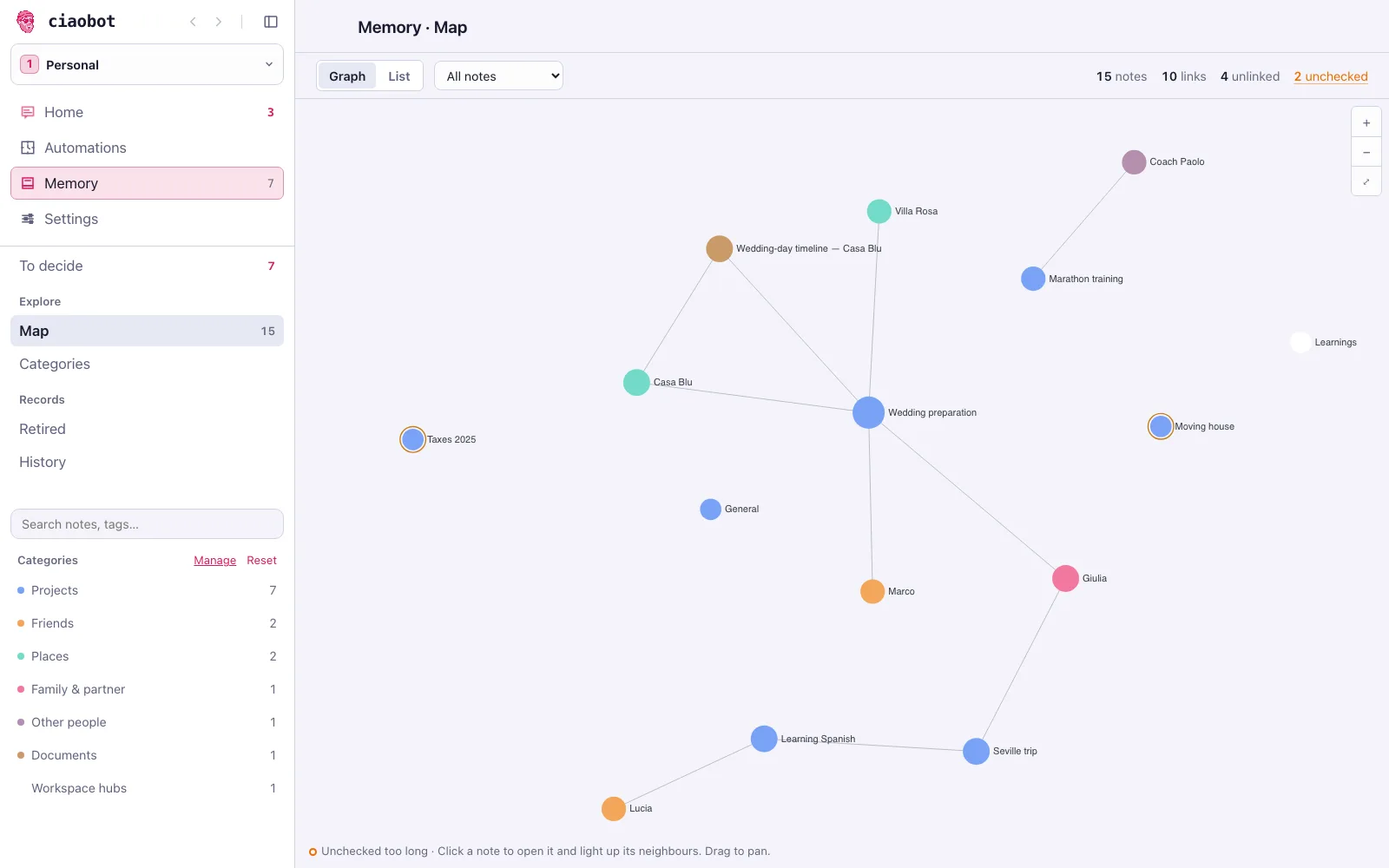
3. What happens when you archive a chat
Ciaobot doesn't take notes while you talk. When you archive, it works through a short checklist in the background (Home shows a memory insights row while it runs):
-
Save the conversation
A readable copy of the chat is saved in your folder, so nothing is lost even if nothing is filed.
-
Pick out what's new
One AI pass reads the chat next to what Ciaobot already knows and lists only what's new: decisions, corrections, new people, open to-dos. Each item must point to the message it came from.
-
File it, or ask you
Decisions go into the project note, new people get their own note, lessons go to the learnings list. A fact about you goes into core memory only if you actually said it; anything uncertain becomes a suggestion for you to review.
Small talk, one-off details, and anything the assistant said on its own (rather than you) are left out. What stays is the kind of thing a good assistant would write down: "prefers morning meetings", "venue shortlist: Villa Rosa and Casa Blu", "Marco is the best man".
Where each fact goes
| Kind of fact | Where it's filed | Example |
|---|---|---|
| About you, true everywhere | Core memory, about you | "Lives in Milan, vegetarian" |
| A rule for every chat | Core memory, agent memory | "Keep answers short; use tables for plans" |
| About one project | That project's note | "Wedding budget capped at €22k" |
| About a person | A note for that person | "Marco: best man, allergic to nuts" |
| A lesson for next time | The learnings list | "The school's calendar only accepts a work email" |
| Anything uncertain | Your suggestions queue | "Allergic to penicillin?" |
Categories: what's worth keeping, and how
Every note in your memory folder has a category. The list of categories is what tells Ciaobot what deserves its own note, where that note goes, and how long its facts can be trusted. Without it, everything would land in one pile.
Each category carries four things:
- When to use it: a one-line rule. Project is "something with an outcome and a finish line: status, decisions, next steps". Person is "a human you know or work with: updates, roles, relationships".
- Where it lives: the folder new notes of that kind are filed in, so people go under
People/and projects underProjects/. - How fresh it must stay: a note about a project is flagged for re-checking sooner (30 days) than one about a person (90 days).
- Whether it's a record of a thing or a document about it: people, projects, places, ideas and resources are things Ciaobot keeps a record of; a journal is a document.
Ciaobot ships with a stock set: person, project, place, idea, resource, journal, and a catch-all note for anything that fits nowhere else. That catch-all is used before a new category is invented, which keeps the list from sprawling. A log is not its own category; it files as a journal.
Make it yours
The list is one editable file, entity-types.yaml, in your memory folder. Add a category (say client or recipe) with its own description and folder, change how quickly a kind of note goes stale, or turn a stock one off. Your edits are merged over the stock list, so you only write what you change. A sharper description gives a sharper filing decision: it's the same instruction the assistant reads when it decides what to save and where.
See what it remembered. Decide what stays.
With Session insights enabled, archived chats can file confident facts automatically; uncertain ones wait as proposals. Turn Session insights off to stop the memory pass for newly archived chats. Not every remembered fact requires approval, and not every historical change has an Undo button.
Suggestions wait for you
Each suggestion names its destination. To decide previews the change where it can be determined before writing; model-decided merges are labelled as such. Large-file previews can omit changes beyond the displayed window. Edit the wording, accept or dismiss it, or use talk about it to discuss it with the assistant.
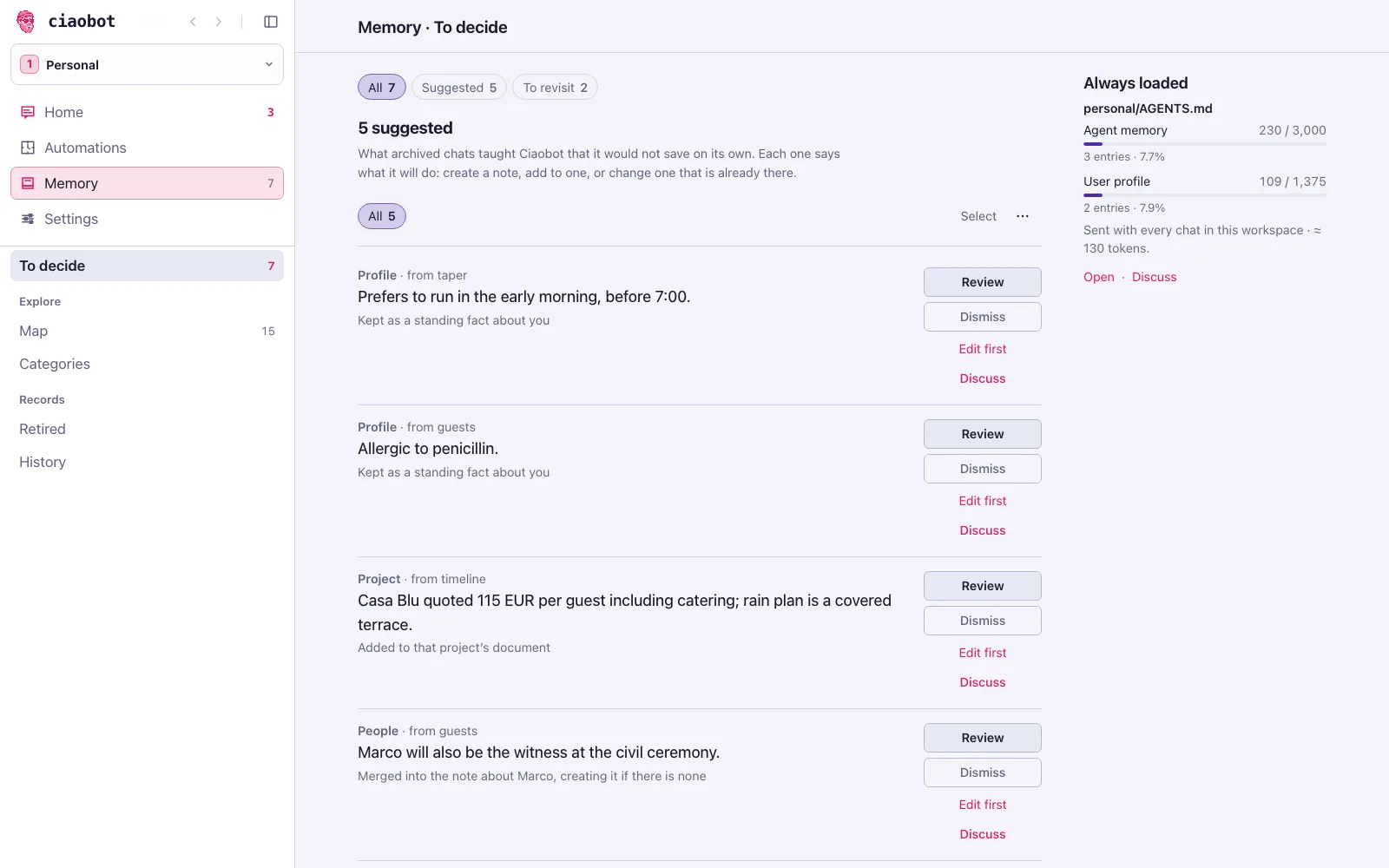
Review history and undo supported changes
History records memory decisions and shows before/after details for writes with receipts. Undo is available where a reversible receipt exists; older records and some batch entries are view-only.
Retire notes without losing them
Old or unused notes are flagged for your decision, not automatically deleted. Review the evidence, keep a note, or move it to the retired list. Retired notes remain restorable until you explicitly choose permanent deletion; there is no timed purge.
Tell it directly
/remember saves a fact as a suggestion; asking in plain words ("remember that…") lets the assistant write it straight away.
The nightly tidy-up
Once a night, per workspace, a routine called Workspace care goes through the queue and the notes. It files the suggestions that belong to people, projects and learnings; merges duplicates in core memory when it's getting full; and flags notes that are getting old so they can be re-checked.
What it never does:
- add a new fact about you to core memory (those wait for you);
- delete a note: old or unused notes are only flagged, and you decide;
- touch another workspace;
- drop an important fact just to save space.
Projects you've finished
A completed project leaves the sidebar, but its notes stay searchable, so "what did we decide about the movers last year?" still works.
Back it up
Your memory lives in one folder, so a private copy somewhere else protects it if the computer is lost. Ciaobot turns that folder into a Git repository (unless it already is one), which gives it a full history of every change. Once the repository is connected to a private GitHub repository, Ciaobot pushes to it automatically, with nothing for you to run.
Settings → General → Memory backup shows where things stand. Back up now runs a copy on demand.
If it isn't connected yet
Choose Set up in Ciaobot and Ciaobot walks you through it in a chat, or choose Copy setup prompt and paste it into any agent (Claude Code, Codex, opencode, and so on). The agent creates the private repository, connects the folder to it and checks that the first backup worked. You never need to know Git commands.
It's just text files
Everything above is ordinary Markdown in the folder you picked during setup:
personal/
  AGENTS.md                  core memory (about you + agent memory)
  memory-vault/
    projects/active/…        one folder per project
    projects/completed/…     finished projects
    People/                  one note per person
    Workspace/Learnings.md   lessons learned
    Workspace/Memory-Proposals.md   your suggestions queue
Logs/Chats/                  a readable copy of every archived chat
You can open and edit it in Obsidian or any text editor, back it up like any folder, and keep using it with other AI tools, even without Ciaobot.